In the note editor, tap the Details button → Title to edit it.
Leave it empty to have no title.
In the Note List, swipe left on the note you want to delete, then tap Delete.
In the Note List, swipe left on the note you want to move, then tap Move.
Very long notes produce very large images, which sometimes can't be created or saved (this is an iOS limitation).
Even if the image doesn't appear, tapping the Save button may still save it to Photos, so please give it a try.
All the notes in the folder are deleted along with it.
Tap the Edit button at the top left of the folder list to reorder your folders.
The usable line spacing depends on the font.
For example, with Hiragino the minimum line spacing is 8 pt, so any smaller value is treated as 8 pt.
Create a backup on your old device, then import and restore it on your new device.
Follow the steps below.
Note that restoring data requires an upgrade to Pro.
Step 1: Export a backup file
There are two ways to do this.
Choose whichever you prefer.
Use iCloud Drive (recommended)
If iCloud Drive is available, your latest auto backup is synced to iCloud Drive automatically.
So you don't need to do anything.
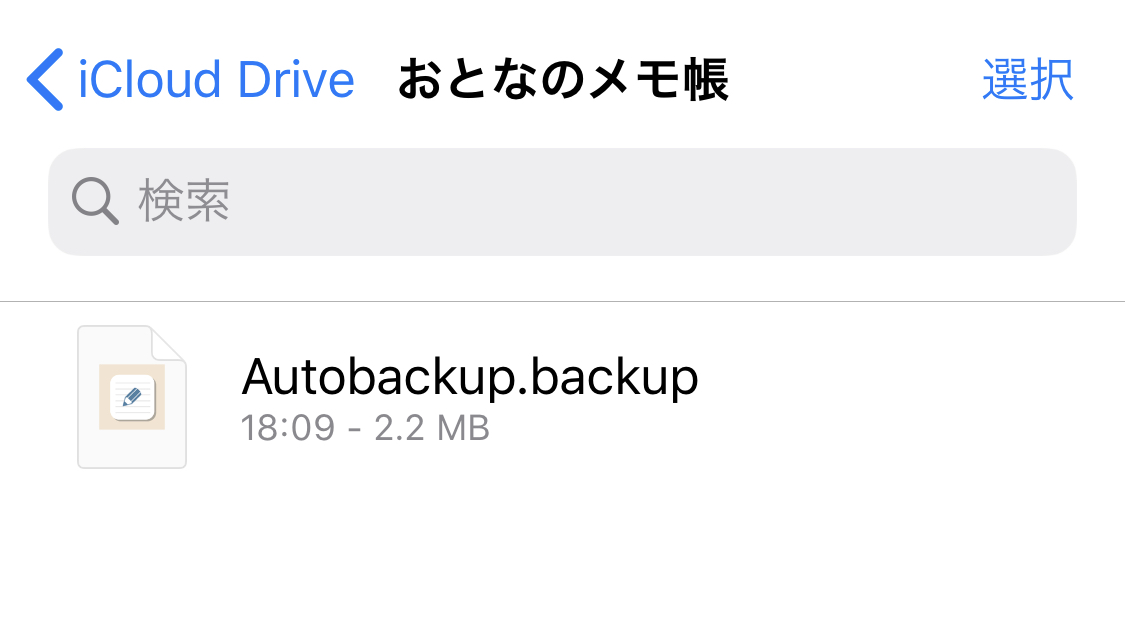
If it worked, you should see a file like the one above.
Only one backup is kept in iCloud Drive. Older backups are overwritten.
Export manually
Go to the Settings tab → Backups and tap the + button at the top right to create a backup file.
On the same screen, select a backup and share it to export it to Mail, iCloud Drive, and more.
Step 2: Import the backup
From the share menu in the Mail app, the Files app, or another app, choose "Open in Otona Note."
Importing alone does not restore your data.
Step 3: Restore the backup (on the new device)
Go to the Settings tab → Backups → tap the backup to restore → Restore.
Importing a backup file alone does not restore your data.
Go to the Settings tab → Backups → tap the backup to restore → Restore.
Note that restoring data requires an upgrade to Pro.
For any other problems, sorry for the trouble, but could you please report them by email here? Thank you very much.
*A mail account must be set up on your device.